


Bible KJV offline with voice
4.613.00 Reviews
App Specs
- Version
- Bible kjv voice Free Offline 24.0
- Updated On
- License
- Free
- Downloads
- 100,000+
- Developer
- Bible Verses
- Categories
- Libraries & Demo
- Platform
- Android
Screenshots


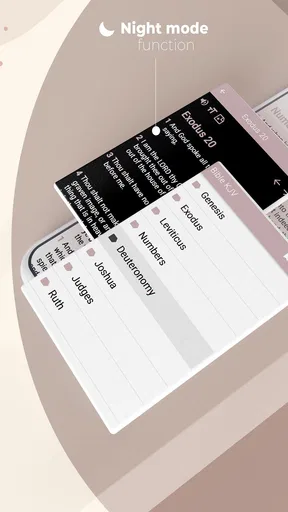




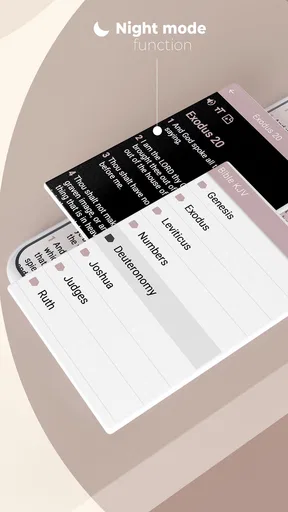
 Analysis by AppCompare
I approached Bible KJV offline with voice as a practical reading tool rather than as a replacement for every Bible study resource. It is a free Android app in the Libraries & Demo category, developed by Bible Verses, and its focus is straightforward: give me access to the King James Version for reading, study, and listening without needing a constant internet connection. That narrow purpose is also its main strength. I do not have to navigate a broad social platform, a large commentary library, or a complicated study system before reaching the text.
The app has a 4.6 average from around 1.4 thousand ratings, with over 100 thousand installs. Those figures suggest that it has found a real audience, but they do not tell me whether it will suit every reader. The more useful question is how well its offline reading and voice-oriented approach fit into daily use, especially for someone who wants a familiar translation available on an Android phone with a minimum operating system of Android 7.0.
What using the KJV app feels like in everyday life
My first impression is that this is an app built around access and routine. I can imagine opening it early in the morning, reading a short passage during a commute, or listening while doing household tasks. The King James Version is always the center of the experience, so the app makes more sense for readers who already want that translation than for someone still comparing modern English versions.
The offline angle matters more than it may seem. A Bible app that depends heavily on a live connection can become inconvenient in places with weak reception, during travel, or when I simply want to avoid using mobile data. Here, the intended workflow is much more dependable: prepare the app on the phone, then return to the text when connectivity is unavailable. I would still make a habit of opening the app before an important trip, because offline tools are most useful when I confirm they work before I need them.
The voice element changes how I would use it. Reading is ideal when I can give the screen my attention, but listening is useful when my hands are occupied. I would use it during a walk, while cooking, or when I want to hear the wording of a passage rather than only scan it visually. That said, spoken Scripture is not automatically better for every study session. For close comparison, note-taking, or checking a particular verse, I prefer the screen because listening can make it harder to stop at exactly the right phrase.
The best way to think about this app is as a dependable personal Bible reader with audio access, not as a complete research library. That distinction prevents disappointment. It is appealing because it keeps the main task simple, but readers who expect extensive scholarly notes, several translations, study plans, or a large community layer may find the experience limited compared with broader Bible platforms.
Who is likely to get the most from it
I would recommend it first to someone who specifically wants the KJV and values offline access. It also suits people who prefer a focused app instead of a service that asks them to create an account, follow a feed, or manage many optional resources. A new reader who has been told to read a particular KJV passage can use this app as a direct starting point without learning a large ecosystem.
Worth Reading Before You Choose

EA SPORTS FC Mobile 26 Is a Bigger Football Game, but It Takes Time

Flipboard Shows What News Apps Must Do Beyond the Feed

Switching to Android Auto Means Rethinking Your Driving Routine

Google Calendar Makes a Crowded Week Easier to Manage

Ludo King Makes the Most of the Minutes Between Plans

Baby Panda World Brings Quick Play to Modern Phones, but Its Game Library Feels Busy
It may also be useful for older phones. The minimum requirement of Android 7.0 makes it accessible to many devices that are no longer running the newest Android releases. That does not guarantee identical performance on every handset, but it does make the app relevant to users who cannot or do not want to upgrade hardware simply to read the Bible.
I would be more cautious about recommending it to a student doing detailed textual work. The KJV’s language can be rewarding, but its older vocabulary and sentence structure sometimes require comparison or explanation. If I were studying a difficult passage, I would want another trusted reference beside it. This app can provide the primary text and listening option, but it should not be treated as the only tool for understanding challenging wording.
How I would set up a useful daily routine
A simple routine makes the offline design more valuable. I would choose a short reading goal, open the relevant passage while connected, and then test the voice function before leaving home. If the audio is comfortable, I could listen once without interruption and then read the same section afterward. That two-step approach helps me notice the overall flow first and the exact wording second.
For memorization, I would use the voice feature in short sections rather than playing long stretches passively. Hearing the same verses repeatedly can reinforce rhythm and phrasing, while reading afterward helps me identify where one thought ends and another begins. This is a more deliberate use than simply leaving the app running in the background, and it works especially well for users who remember spoken language better than text.
Another practical approach is to use the app as a backup Bible. I would keep it installed for moments when another reading service is unavailable, when I am traveling, or when I want a distraction-free KJV session. In that role, its simplicity becomes an advantage. I do not need the app to perform every possible study function; I need it to open the text and remain useful when the network does not.
Trust, permissions, and the choices I can actually evaluate
Trust is more complicated than a clean interface or a high rating. When I review an app like this, I look for the choices it puts in front of me: whether it demands an account, whether it pushes me toward optional purchases, and whether its basic purpose can be used without handing over unnecessary personal information. The visible product description presents a free Bible app, and the listed in-app purchase amount is $0.99 per item. That tells me optional paid items exist, so I would pay attention to any purchase prompt and make sure I understand what it unlocks before confirming it.
I would not treat the free download as a promise that every part of the experience is completely without commercial friction. A sensible first session would include checking the app’s own menus and Android’s permission screen, declining anything unrelated to reading or listening, and confirming that the core Bible access works as expected. This is not a criticism of the app specifically; it is a good habit whenever an app combines free access with optional purchases.
The absence of a required account can make a Bible reader feel more private and less burdensome, but I would still inspect the actual screens rather than assume how the app handles information. Android’s permission controls are the most reliable place to see what the installed version requests. If a permission appears that does not make sense for reading or audio, I would pause and decide whether the convenience is worth it. My rule is simple: grant only what I understand and need.
There is also a difference between privacy and offline operation. Offline reading reduces dependence on a connection, but it does not by itself explain every data practice of an app. I would avoid making sensitive assumptions based only on the word “offline.” Instead, I would check the app’s visible privacy information, Android’s permission list, and any account or purchase screens. That approach gives me control without inventing assurances that the app has not clearly made.
Where the offline and voice design can create friction
Offline access is convenient, but it introduces a preparation step. If I install the app immediately before travel and assume everything is ready, I could discover too late that a particular audio function or section needs initial setup. My practical advice is to test reading and listening in airplane mode before relying on the app. That small check answers the question that matters most: can I use the part I need when there is no signal?
Voice reading can also be less flexible than a human reader. Pronunciation, pacing, and emphasis may not match my preference, and older KJV wording can sound unfamiliar when heard rather than seen. I would use the audio as an aid, not as an unquestionable interpretation of the passage. When a sentence feels confusing, switching back to the text is faster than repeatedly replaying it without understanding the grammar.
There is a trade-off between focused design and study depth. A specialized KJV app may be easier to open than a large platform, but a larger alternative may offer cross-references, multiple translations, notes, bookmarks, or synchronization across devices. If I regularly move between a phone, tablet, and computer, or if I need organized study records, I would probably prefer a more feature-rich service. If I mainly want the KJV available on one Android phone, the lighter approach is more attractive.
The app’s age rating is Everyone, which fits the general purpose of a Bible reader and makes it suitable for a broad household audience. Even so, I would guide younger readers through the KJV’s vocabulary rather than assume the text will be immediately easy. The rating describes suitability in broad terms; it does not remove the need to explain archaic expressions or difficult passages.
Comparing it with common Bible app alternatives
Against a printed Bible, this app offers portability and voice playback. A paper edition remains easier on the eyes for some people and does not depend on a phone battery, while the app is more convenient when I want one device in my pocket. I would choose paper for an extended quiet reading session and the app for travel, quick reference, or listening.
Against a browser-based Bible site, the offline approach is the clear practical difference. A website can be excellent when I want to search across resources, but it becomes less useful with poor reception and can invite distractions from other tabs. This app is better when the goal is to open the KJV and stay with it. The website is better when I need broader comparison or research.
Against a large multi-translation Bible platform, the choice depends on priorities. A broad platform is usually the stronger option for comparing translations, reading commentary, organizing notes, or joining a study plan. This app is the more focused choice when I do not want those layers. I would not call one universally superior: the right option depends on whether I value a compact KJV reader or a full study environment.
The developer name, Bible Verses, also signals the app’s narrow identity more clearly than a general productivity tool would. I would not expect it to behave like a note-taking app, a church community app, or an academic reference manager. That clarity helps me decide quickly whether it belongs on my phone.
Questions I would answer before installing
Can I use it without internet access? That is the central reason to consider it, and the app is designed around offline reading and listening. I would still perform the airplane-mode test after installation, because practical offline readiness depends on completing any initial setup and confirming the exact functions I plan to use.
Do I need to pay to get the basic experience? The app is free to install, while optional in-app items are listed at $0.99 each. I would begin with the free experience and inspect any purchase description carefully. That lets me decide based on actual usefulness rather than assuming every paid option is necessary.
Is it suitable for someone who does not already know the KJV? Yes, it can serve as an entry point, but I would pair it with a modern-language reference when a passage is difficult. The app gives access to the KJV; it does not automatically make the KJV’s historical language easy for a new reader.
Will it replace a serious study Bible? In my view, no. It can support personal reading, listening, memorization, and quick access, but readers who need extensive notes, cross-references, or multiple translations should keep another resource available. This is a useful boundary, not a flaw: a focused tool is often more pleasant when I stop asking it to be something else.
Is it a good fit for an older Android phone? Its minimum operating system is Android 7.0, so it is worth considering for compatible older devices. I would still check storage, battery condition, and audio behavior on the specific phone, especially if listening for long periods.
My cautious recommendation
After weighing the practical benefits and the limitations, I see Bible KJV offline with voice as a sensible choice for a particular kind of reader. I like its clear purpose: the KJV, offline availability, and a listening option in one Android app. Its free status lowers the barrier to trying it, and the Everyone rating makes it approachable for general household use. The current version is Bible kjv voice Free Offline 24.0, so I would install it, review its visible controls, and test the functions I care about before building a routine around it.
I would recommend it to a friend who wants the King James Version close at hand, travels through unreliable coverage, or benefits from hearing Scripture while doing other tasks. I would not recommend relying on it alone for academic study, detailed comparison, or a carefully organized cross-device library. In those situations, a broader Bible platform or a printed study edition would serve better.
My final judgment is positive but deliberately measured. It earns a place as a focused offline KJV companion, provided I keep control of permissions and purchases and understand what a compact reader cannot replace. If that matches your needs, the app is worth trying. If your priority is a complete research environment rather than accessible KJV reading and voice playback, I would choose a different tool instead.
Pros
- Works without an internet connection after downloading the Bible.
- Includes the classic King James Version text in full.
- Voice narration makes listening convenient while multitasking.
- Search tools help locate verses
- words
- and passages quickly.
- Useful for personal study
- devotionals
- and regular Bible reading.
Cons
- KJV language can feel difficult for readers unfamiliar with older English.
- Audio files may require significant storage space on the device.
- Voice quality and pronunciation may vary between books or devices.
- Some features may be limited unless additional content is downloaded.
- Ads or in-app purchases may interrupt the reading experience.
FAQs for Bible KJV offline with voice
What is Bible KJV Offline with Voice?
Bible KJV Offline with Voice is a mobile Bible app centered on the King James Version. It allows users to read Scripture without an internet connection and, where supported by the app, listen to chapters through an audio or text-to-speech voice feature. It is designed for personal study, daily reading, devotionals, and convenient access to the Bible while traveling or in areas with limited connectivity.
Can I use Bible KJV Offline with Voice without an internet connection?
Yes, the main benefit of this app is offline access to the King James Bible after the necessary content has been installed on your device. You can generally browse books, chapters, and verses without mobile data or Wi-Fi. However, downloading the application, receiving updates, or accessing optional online features may still require an internet connection, so it is best to open the app once before going offline.
Does the app read the Bible aloud with a natural voice?
The voice feature is intended to let you listen to Bible passages instead of reading them on screen, which can be useful during prayer, commuting, or study. The exact voice quality may depend on your device’s speech engine, language settings, and the version of the application. Users should also check whether audio controls, playback speed, background listening, and voice downloads are available on their specific device.
Is Bible KJV Offline with Voice free to download and use?
The application may be available as a free download, but the overall experience can vary depending on the platform and version. Some editions may include advertising, optional purchases, or additional features that require payment. Before installing, review the Google Play Store or App Store listing for current pricing, in-app purchase details, supported devices, and privacy information so there are no surprises after downloading.
Who should choose the King James Version edition?
This app is best suited to readers who specifically appreciate the traditional language and literary style of the King James Version. Its wording can feel formal or difficult for people who are new to Bible reading or prefer modern translations. If you want a classic English text, offline access, and spoken Scripture in one place, it can be a practical choice; otherwise, compare translations before making it your primary Bible app.


